
To cancel your Consumer Reports subscription, first sign in to your account using your email and password. This is the starting point to manage your membership effectively.
Next, head to your Account Settings or the “My CR” section, where you can find the option to cancel your subscription. It’s pretty straightforward once you’re there.
Finally, confirm the cancellation and make sure to check your email for a confirmation message. This helps you avoid any future charges and gives you peace of mind.
If you want to guarantee a smooth process and keep your records in order, there are some helpful tips to take into account. Taking a few extra steps can save you headaches later on.
Key Takeaways
- Sign in to your Consumer Reports account using your email and password on the official website.
- Then, navigate to “Account Settings” or “My CR” to find the subscription or renewal options.
- Next, select “Change My Automatic Renewal Status” for Print or “Manage My Membership” for Digital subscriptions.
- After that, follow the prompts to cancel and be sure to confirm the cancellation within your account settings to avoid any further charges.
- Finally, verify that your cancellation was successful by checking for confirmation emails and keeping an eye on your billing statements.
Sign In to Your Consumer Reports Account

Before you can cancel your Consumer Reports subscription, you’ll need to sign in to your account on their official website. Use your email address and password to access your account dashboard easily.
Sign in with your email and password on the Consumer Reports website to access your account dashboard.
If you have a Print membership, remember to have your account number handy, as it’s required for sign in. Once you’re signed in, you’ll find the dashboard offers clear options to manage your subscription.
From here, you can navigate to the relevant sections like “My CR” or “Account Settings” to view your subscription details. For digital or All Access memberships, your dashboard also lets you review and update your renewal status.
Getting familiar with your account dashboard is the first step toward managing or canceling your Consumer Reports subscription smoothly. It’s pretty straightforward once you’re logged in!
Cancel Your Subscription in Account Settings

Once you’ve signed in to your My CR account, head straight to the “Account Settings” section to start the cancellation process. Here, you’ll find specific options depending on your subscription type.
If you have a Print membership, look for the “Change My Automatic Renewal Status” link to terminate your subscription. For Digital or All Access memberships, click on the “Manage My Membership” link.
This will guide you to the cancellation option where you can easily cancel your subscription. Make sure to carefully follow the prompts to confirm your cancellation within Account Settings.
Taking these steps ensures you won’t be charged for automatic renewal. This way, you have full control over when and how you cancel your Consumer Reports membership.
Confirm Your Cancellation and Check Billing Statements
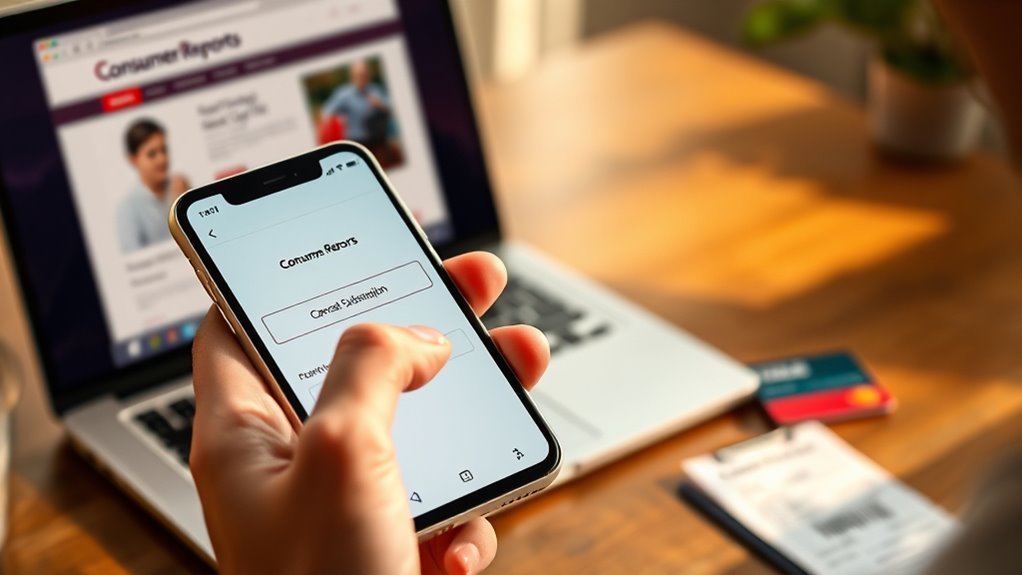
How can you be certain your Consumer Reports subscription cancellation went through? After canceling, look for a confirmation email to verify success. Then, double-check your billing statements to guarantee no additional charges appear.
You should also review your account status online or contact Member Support to confirm the subscription is marked canceled. Keep a close eye on the cancellation date to prevent accidental renewals.
Finally, save all confirmation emails and billing statements as proof in case any billing issues arise later.
- Verify cancellation confirmation in your email
- Monitor billing statements for unexpected charges
- Check your account status online or with Member Support
- Confirm the cancellation date matches your records
- Retain copies of confirmation and billing statements for future reference
Frequently Asked Questions
How Do I Manage My Consumer Reports Subscription?
You can manage your Consumer Reports subscription by signing into your account on the My CR page. From there, update your delivery address, review renewal status, and change automatic renewal settings easily in the Manage My Membership section.
How to Stop Consumer Reports?
Stop subscription stress swiftly by visiting Consumer Reports’ cancellation page. You’ll enter your account info, confirm your choice, and secure a smooth stop. Don’t delay—do it before renewal to dodge unwanted charges.
How Much Does a One-Year Subscription to Consumer Reports Magazine Cost?
A one-year subscription to Consumer Reports magazine costs $39. You can choose print or digital formats and even get a 10% discount with the code MSS10 during checkout. The fee is billed upfront, no automatic renewal.
Is the Consumer Reports Subscription Price $20?
No, the Consumer Reports subscription price isn’t usually $20. That’s a promotional or discounted rate. You’ll typically pay around $39 annually, but you can check their official site for current deals and special offers.
Conclusion
Canceling your Consumer Reports subscription is easier than finding a needle in a haystack! Just sign in to your account, head to your settings, and hit cancel.
Don’t forget to confirm your cancellation and double-check your billing statements to avoid surprises. Following these simple steps will save you time and hassle, letting you move on without a second thought.
You’ve got this—bye-bye subscription, hello freedom! By canceling your Consumer Reports subscription through these straightforward steps, you can quickly regain control over your expenses. It’s a smooth process that ensures you won’t be charged unexpectedly, giving you peace of mind. Whether you’re cutting down on subscriptions or just taking a break, these easy instructions make managing your Consumer Reports account a breeze. So don’t stress—canceling your Consumer Reports subscription is simple, fast, and hassle-free.